SonarQube
please look at the README
OpenID Connect
We use delegated authentication via openID connect identity provider Keycloak
For OIDC integration we use this plugin. Please follow the steps in the README of the plugin.
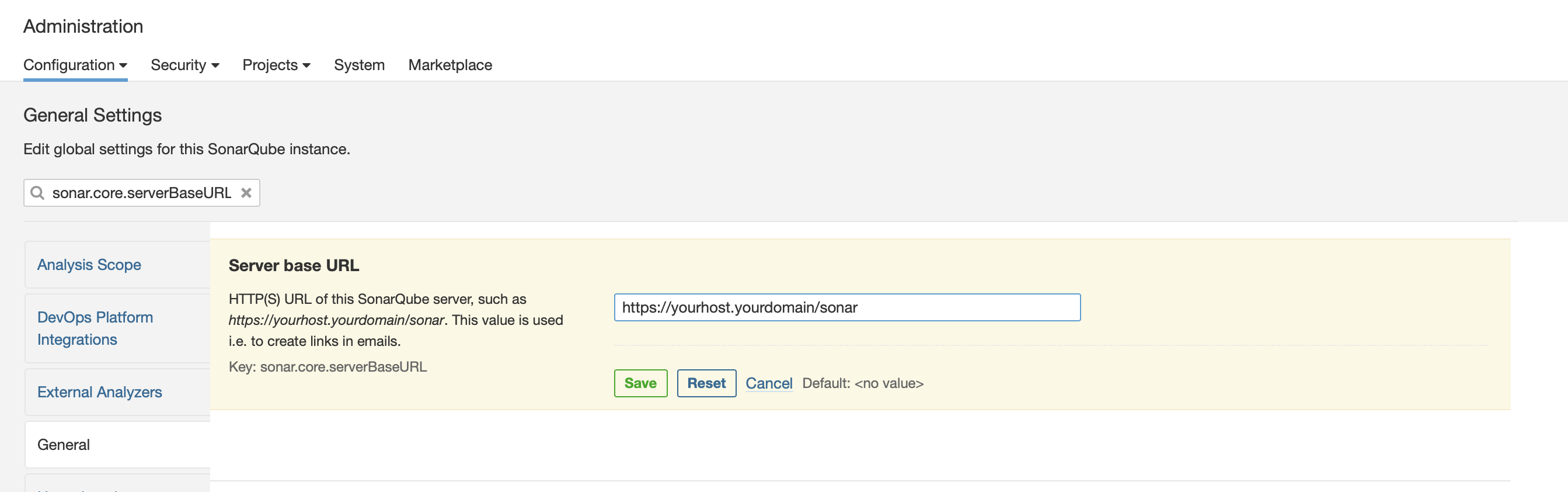
In addition to these steps you will need to set the sonar.core.serverBaseURL variable. This is done as shown below.
Sonarqube Tokens
Sonarqube has three types of tokens - global , project and user. Each user can create a
token by going into My Account -> Security.
The global and project tokens are only allowed for CI or personal usage. For CI systems that need to
talk to the Soanrqube API, we need to create a user token. Only user tokens can talk to the Sonarqube API.
A token can be identified by its prefix:
- sqa_560c70 : Global token due to
ain the prefix - sqp_a515da : Project token due to
pin the prefix - squ_o234fw : User token due to
uin the prefix
Securing Sonarqube
Sonarqube adds users to sonar-users by default. If you have granted OIDC login using Keycloak to
all members of your organization, then your codebases might be exposed.
To secure your projects:
- Only allow minimum permissions to
sonar-usersgroup. - Keep project repos private and turn off the permission to
View Source Code. - Create a new group which has access to specific projects used by each team and add users to that group.
- Sonarqube allows creating
Permission Templatesto automate managing permissions for a list of projects which match a regex. - To allow external access (CI systems), create a separate user and user token for the API usage.
Only basic permissions like
Run Analysisto CI users.
Upgrading SonarQube
- Check out the more comprehensive upgrade guide at upgrading.md.
- First check the release notes for any specific upgrade guide for the new version
If there is no specific upgrade guide available for the chart version then follow the below steps
- Sync the latest version of the chart via argocd
- After successfull sync, open sonarqube in browser if it shows message regarding maintance follow step 3 else skip.
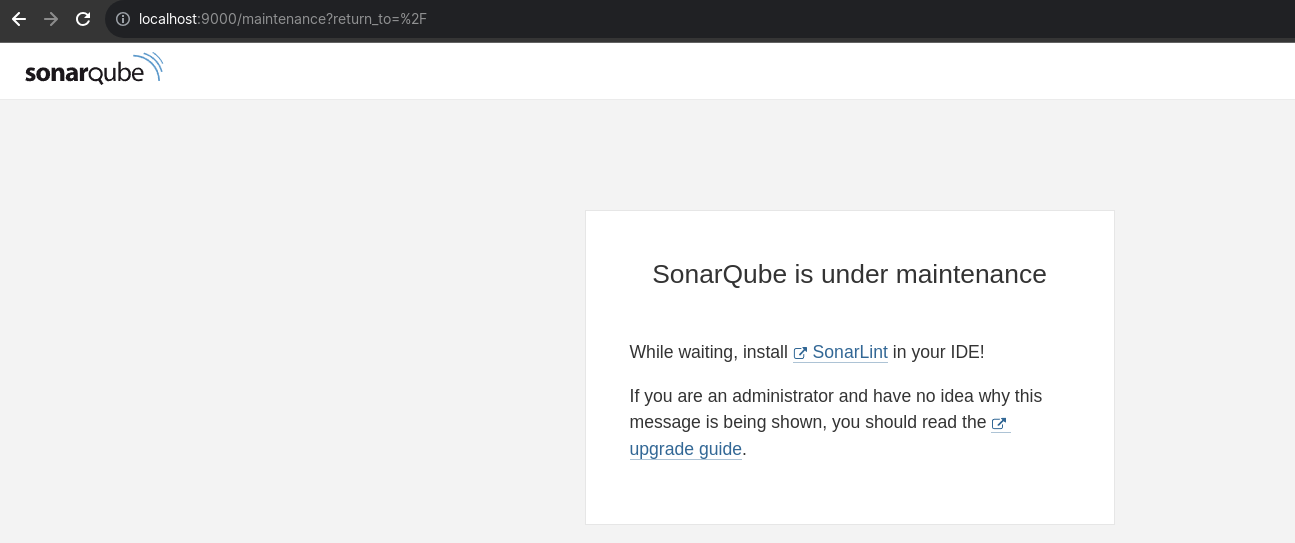
- Visit the
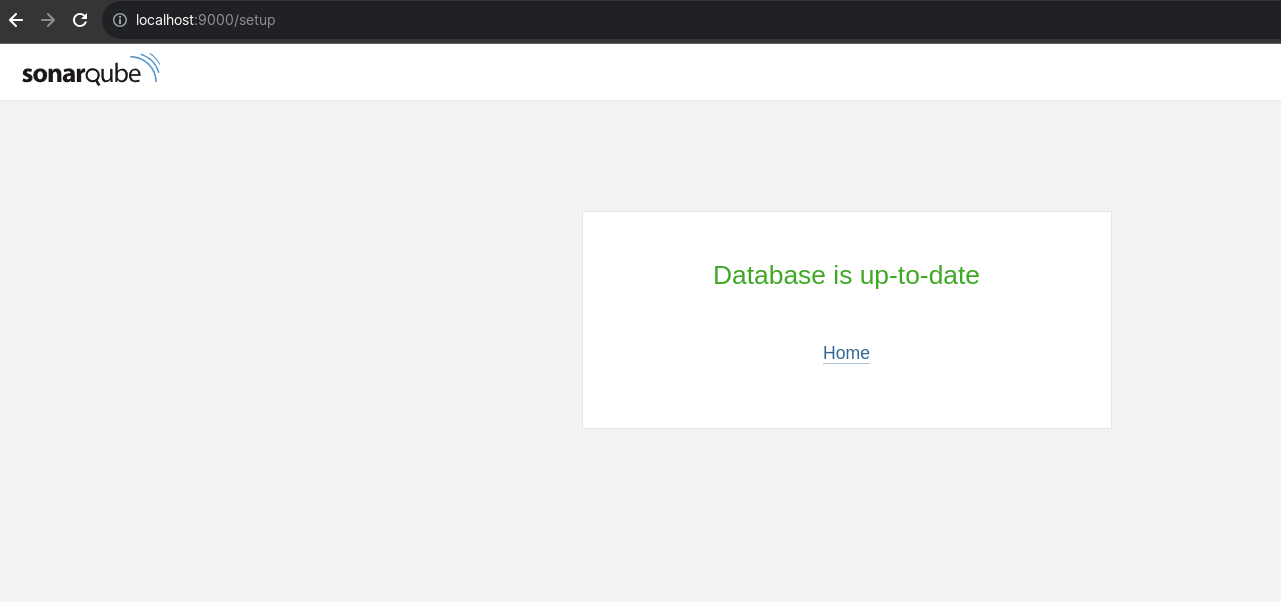
/setupendpoint and click on start upgrade database.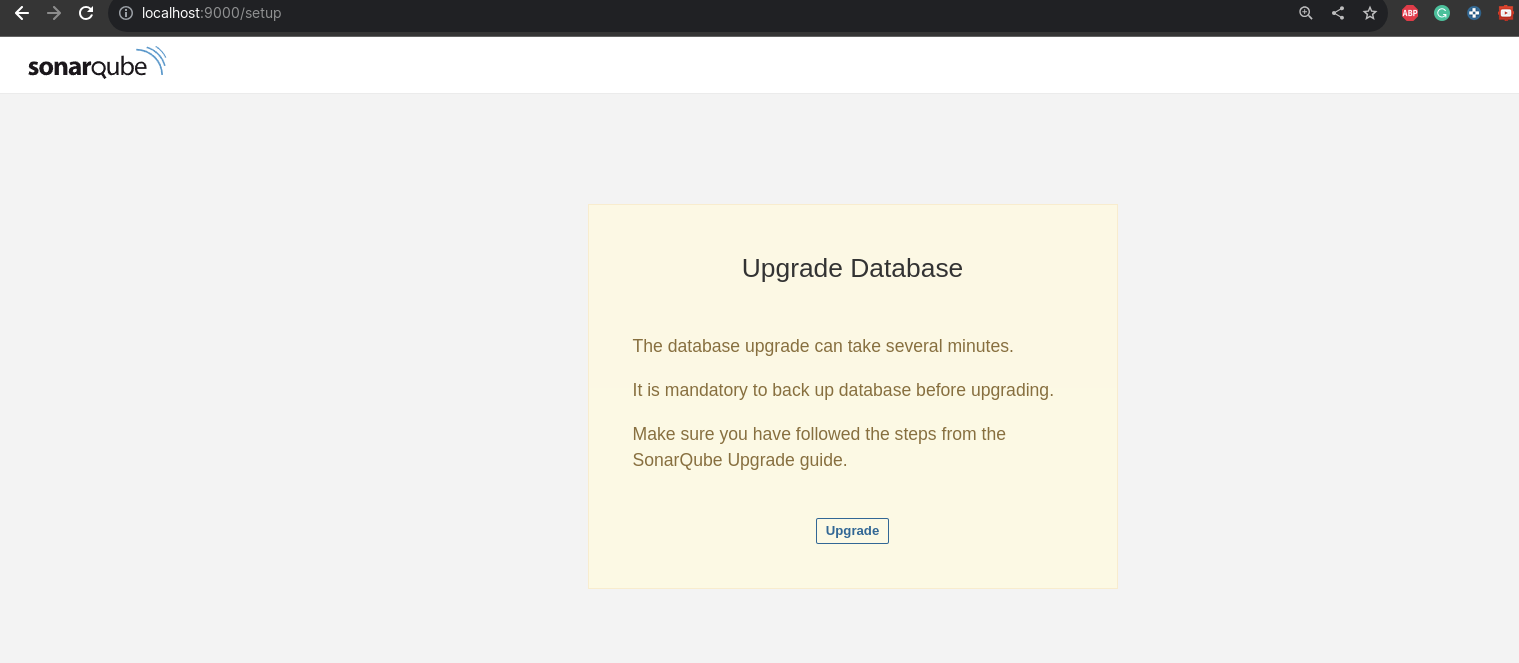 After successfull upgrade it will show the below message
For more info checkout SonarQube Upgrade Guide
References and Further Reading
- https://docs.sonarsource.com/sonarqube/latest/
- https://docs.sonarsource.com/sonarqube/latest/extension-guide/web-api/
- https://docs.sonarsource.com/sonarqube/latest/user-guide/user-account/generating-and-using-tokens/
- https://docs.sonarsource.com/sonarqube/latest/instance-administration/reindexing/
- https://docs.sonarsource.com/sonarqube/latest/instance-administration/backup-and-restore/